Chess - Offline Board Game
- 4.8
- Rating
- 100.00M
- Installs
- Free
- Price

 Analysis by App-foxy
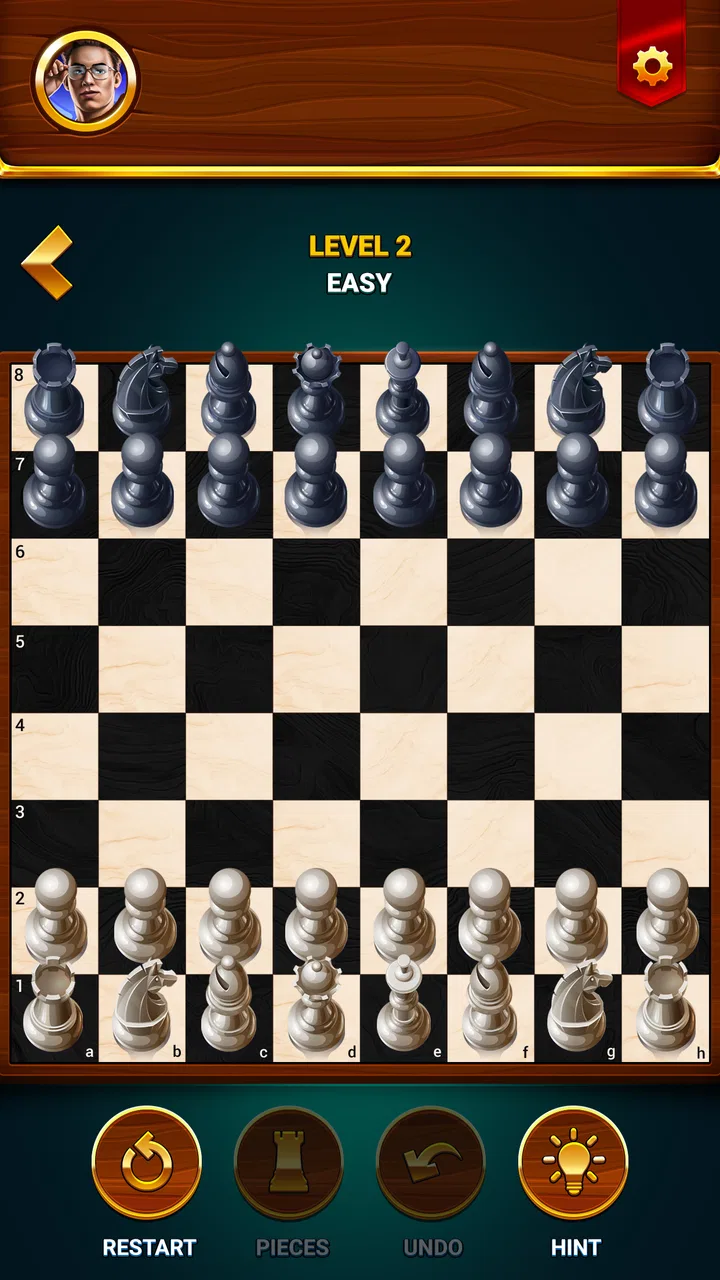
I like chess apps that get out of the way and let the board do the talking. Chess - Offline Board Game, developed by GamoVation, takes that straightforward approach: it is a free board game for Android and iOS that focuses on playing chess rather than surrounding the game with a long list of unrelated distractions. After spending time with it, I see it as an approachable choice for someone who wants to start a game quickly, practise familiar patterns, or keep a chessboard ready for a short break.
The first thing to understand is that this is not a chess lesson disguised as a game. Its appeal is the simple rhythm of choosing a move, reading the position, and deciding what to do next. That makes it comfortable for beginners who already know how the pieces move, while also leaving room for more experienced players who want a convenient digital board. The game is rated 4.8 on average from around 984 thousand ratings, and it has passed 50 million installs, which gives it a substantial player base and suggests that its uncomplicated format has broad appeal.
What to expect when you open the chessboard
Chess - Offline Board Game belongs to the board-game category, and its identity is very clear from the beginning. You are opening a chess app, not a general collection of board games or a heavily decorated strategy platform. That focus is useful because it reduces the time between launching the game and thinking about an actual position. I would recommend it to a person who wants a familiar activity that can fit into a few spare minutes without needing to learn a complicated interface first.
You May Also Like

 AccuWeather: Weather Radar
AccuWeather Review: A Quick, Clear Forecast for Everyday Decisions
For everyday plans, the best forecast is the one you can understand quickly. AccuWeather makes rain timing, radar, and local conditions easy to act on, with a few trade-offs.

 Hill Climb Racing
Why Hill Climb Racing Still Turns Crashes Into One More Run
A tiny car, a bumpy hill and one more upgrade: Hill Climb Racing keeps resurfacing because its simple chaos makes every near-miss feel personal.

 AliExpress - Shopping App
AliExpress Makes Global Shopping Feel Personal, but Shoppers Bear the Risk
AliExpress turns a global marketplace into a pocket-sized discovery engine. Its reach is useful, its shopping loop compelling, and its trade-offs easy to miss.

 Lords Mobile: Kingdom Wars
Lords Mobile Is a Kingdom-Building Routine, Not a Quick Match
A case-by-case verdict on the building, battles, device demands, and social commitments that make Lords Mobile rewarding for some players and exhausting for others.

 PDF Scanner app - TapScanner
TapScanner Makes Paperwork Easier to Capture, Check, and Share
TapScanner makes scanning with a phone feel less like a rescue operation and more like a dependable step in getting work done. Its capture tools are useful, though not flawless.

 Block Blast!
 Shows How Much a Puzzle Game Can Leave Out
A quiet grid game shows why puzzle players increasingly value instant clarity, repeatable skill and low-pressure play—and where the genre still needs to catch up.
More From Our News Desk
View All News


The game is free to install and is suitable for Everyone. That combination makes it easy to suggest to a family member who is curious about chess but does not want to commit to a paid app immediately. In-app purchases range from $1.99 to $27.99 per item, so I would still advise checking the purchase prompts carefully if a child is using the device. The free entry point is attractive, but “free” does not mean every optional part of the experience is necessarily included without a purchase.
Its release date was September 27, 2021, and the current version is 2.7.4. The minimum operating-system requirement is Android 6.0, so it is accessible on many older Android devices as well as newer ones. That matters in a practical way: chess does not need demanding graphics to be enjoyable, so a lightweight, broadly compatible game can be a better fit than a visually ambitious title that makes an older phone feel slow.
My overall expectation would be simple, focused chess rather than a dramatic campaign. If you want a story, animated characters, or a large collection of unrelated puzzles, this is probably not the right direction. If you want to look at a board, make decisions, and improve through repeated play, the format makes much more sense.
Who will get the most from it
A first-time player who knows the basic moves can use this game as a low-pressure place to build confidence. You can take time to recognise checks, protect valuable pieces, and notice when a move leaves your king exposed. Someone returning to chess after years away may also appreciate the lack of ceremony. Instead of searching for a physical set and an opponent, you can open the app and begin rebuilding the habit.
I also think it suits casual players who do not want every session to become a serious rating exercise. A short game during a commute, a quiet evening, or a break from work can be enough. The important point is to treat it as a convenient practice board, not automatically as a complete replacement for every kind of chess experience. Players who need deep analysis tools, a large competitive community, or a very specific coaching system may prefer a specialised alternative.
The people who should look elsewhere
I would hesitate to recommend it as the only chess tool for a tournament-focused player. Serious competitors often want detailed post-game analysis, opening preparation, extensive game databases, or a strong online community built around rated play. A focused mobile board may not satisfy those needs, even if it is pleasant for everyday games.
It may also be a poor match for someone who dislikes losing without understanding why. Chess can expose mistakes very quickly, and a simple game can feel unforgiving when you are still learning. The app can give you a place to practise, but improvement still depends on reviewing your decisions. If you want every move explained in beginner-friendly language, look for a learning-first chess product instead of assuming that any chessboard will teach automatically.
From installation to your first meaningful success
I find the easiest way to settle into a new chess app is to treat the first session as a small experiment, not a test of skill. This section follows the path from opening the board to making a move you can explain, with practical ways to keep the first game calm and useful. The next section turns that first success into a repeatable habit.
Start with one clear goal
When I begin with a new chess app, I avoid trying to learn everything at once. My first goal is simply to complete a legal game without rushing. That is especially helpful here because the cleanest way to understand the experience is to play a few moves and observe how the board responds. Before worrying about openings or clever combinations, make sure you are comfortable selecting a piece, choosing a destination, and checking whether your king is safe.
For a new player, I suggest using the first session to practise three habits. Look at the centre of the board before moving. Notice which pieces are attacked. Then ask whether the opponent has an immediate check, capture, or threat. These questions are more useful than memorising a long opening sequence, because they remain valuable after the first few moves have passed.
A realistic first session might happen after dinner. You install the game, start a match, and expect to play badly because you have not touched chess in years. Instead of trying to win quickly, you spend the opening moving pieces toward useful squares and keeping your queen from wandering into danger. Even if the game eventually turns against you, successfully spotting an attacked piece before moving it is a meaningful first improvement.
How to reach the first successful action
For me, a successful first action is not necessarily checkmate. It is making a move that has a reason behind it. Move a knight because it helps control the centre. Develop a bishop because you want your pieces active. Castle when the position and rules allow it because king safety matters. The app becomes much more rewarding when each move is connected to a simple question rather than made at random.
One useful beginner workflow is to pause after every opponent move and name the change on the board. Did a line open? Is a piece now attacked? Did the opponent create a threat against your king? This takes only a few seconds, but it prevents the common habit of planning your move before checking what just happened. Chess - Offline Board Game works well as a practice space for this because the board stays central to the experience.
Another practical tip is to play slower than your instincts suggest. On a phone, it is easy to tap quickly and then realise that the move was careless. I would rather spend a little longer checking the opponent’s possible reply than restart a game because I gave away a queen. This is not about making every casual game serious; it is about turning each move into a small lesson.
Common confusion for new players
The biggest source of frustration is usually not the app itself but the rules of chess. A player may think a king can move into attack, that a pinned piece is free to move, or that capturing the opponent’s king is the objective. In chess, check must be answered, the king is never actually captured, and a move that leaves your own king in check is illegal. If the game rejects a move, review the position before assuming something is broken.
Another common mistake is confusing a check with an immediate win. A check only means the king is under attack and the player must respond. The response might be moving the king, capturing the attacking piece, or blocking the line of attack when that is legal. Training yourself to look for all three possibilities is a better use of time than reacting emotionally whenever the app announces a check.
Beginners also tend to bring the queen out too early because it is powerful. That power makes it a tempting target. A safer approach is to develop smaller pieces first, keep the queen supported, and avoid moving the same piece repeatedly without a clear reason. This is one of the easiest ways to turn a chaotic first game into a position you can actually understand.
Small habits that make the game more useful
I recommend treating losses as records of one decision, not as a verdict on your ability. After a game, identify the first moment when the position became difficult. Perhaps you missed a simple capture, moved a defender, or ignored the opponent’s threat. Focusing on that turning point gives you something concrete to practise in the next game.
A second useful habit is to create a personal opening rule instead of memorising moves. For example, in your next few games, try to develop your knights and bishops before launching an attack. This does not guarantee a good position, but it gives you a consistent experiment. You can then compare how the game feels when your pieces are active versus when you spend the opening chasing pawns.
A third insight is that an offline-friendly chess routine can be more valuable than occasional intense play. If you have five minutes, use them to review one position or play a short section thoughtfully rather than waiting for a perfect hour. The convenience of a mobile board is not only that it is always available; it is that it lowers the effort needed to practise regularly.
How it compares with other chess choices
Compared with a physical chess set, this game is quicker to access and easier to use alone. You do not need a table, spare pieces, or another person sitting nearby. That makes it especially useful for travel and for moments when you want to practise a pattern privately. A physical board still has advantages for teaching a child face to face, discussing a position with a friend, or developing a strong visual sense of the pieces.
Compared with online-first chess platforms, Chess - Offline Board Game feels more focused on the board in front of you. Online services are usually better when you want live opponents, large communities, public ratings, or broad social features. This app is more appealing when you want a direct game without turning every session into a competitive event. The better choice depends on whether your priority is convenience and concentration or connection and competition.
Compared with chess-learning apps, it is likely to feel less like a guided course and more like a place to practise. A lesson-based app can be better for learning notation, tactics, openings, or endgames in a planned sequence. This game is better when you already understand the basics and want repetition. I would happily use both types together: a lesson app to explain a weakness, then this board game to try applying the idea in an actual position.
What to watch for during everyday use
The free installation is a strong reason to try it, but I would keep an eye on optional purchases and avoid tapping quickly through any purchase screen. That advice is particularly important on a shared family device. The Everyone rating makes the game broadly accessible, yet responsible use still means knowing who is playing and how purchases are handled on the device.
The other limitation is psychological rather than technical: a simple chess app cannot remove the need for patience. If you expect instant victories, the first games may feel discouraging. I found the experience more satisfying when I used it to test one idea at a time. Try improving piece development in one session, then king safety in the next. That approach creates progress you can notice even before you start winning consistently.
GamoVation has kept the product recognisable and easy to understand, which is a strength for first-time users. The large install base and strong average rating reinforce that it has found an audience, but popularity should not decide the choice by itself. What matters is whether you want a straightforward chess experience or a deeper ecosystem around the game.
My recommendation after using it
I would recommend Chess - Offline Board Game to a beginner who wants a reassuring first step into regular chess. Install it, begin with the aim of making sensible legal moves, and measure success by the quality of your thinking rather than the result of one match. The path from opening the app to making a meaningful move is short, and that makes it easier to build a routine.
I would also recommend it to casual players who want chess available without carrying a physical set. It is a good companion for spare moments, especially when you want to focus on a position rather than browse a complicated menu. The experience is less suitable for players searching for advanced analysis, structured coaching, or a lively competitive network, where another kind of chess app may be the better investment of time.
In the end, Chess - Offline Board Game succeeds because it keeps the central pleasure of chess intact: every move asks you to notice, predict, and choose. It is free, accessible, and focused enough for a first game, while still offering a useful practice board for returning players. My advice is to approach it with one modest target—spot a threat, protect a piece, or complete a game thoughtfully—and let those small successes build your confidence.
FAQs for Chess - Offline Board Game
01Is Chess - Offline Board Game free to play?
Yes, Chess - Offline Board Game is free to download and play. However, it may offer in-app purchases or ads to enhance the gaming experience or remove ads. Be sure to check the app store listing for specific details on any optional purchases that might be available.
02Can I play Chess - Offline Board Game without an internet connection?
Absolutely! Chess - Offline Board Game is designed to be played without an internet connection. You can enjoy a full chess experience anytime and anywhere, making it perfect for travel or places where connectivity is limited. Just download the app, and you're good to go offline.
03What features does Chess - Offline Board Game offer?
The game typically includes a variety of features such as multiple difficulty levels, different board themes, and player statistics. It might also offer a tutorial mode for beginners and puzzles to improve your skills. Check the app description for a comprehensive list of features.
04Is Chess - Offline Board Game suitable for beginners?
Yes, the game is suitable for all skill levels, including beginners. It often provides tutorial modes and adjustable difficulty settings to help new players learn and improve. The app’s design usually supports gradual progression, making it a great tool for learning chess.
05Does Chess - Offline Board Game support multiplayer mode?
While primarily designed for offline play, some versions of Chess - Offline Board Game may include a local multiplayer mode, allowing two players to play on the same device. Always check the specific app version you download to confirm available multiplayer options.
Pros
- No internet needed for gameplay.
- User-friendly interface for beginners.
- Multiple difficulty levels available.
- Small app size saves storage.
- Smooth graphics enhance experience.
Cons
- Limited features compared to online.
- No multiplayer mode for friends.
- Ads can be distracting at times.
- Lacks advanced strategies tutorials.
- Few customization options available.

Chess - Offline Board Game
Gallery